Buying guide for best laptop docking stations
Ready to buy now? Shop the best:
Desktop computers are becoming less common as more people shift to laptops as their primary workstations, driven by their practicality and portability. However, laptops pose a problem for desktops in terms of connectivity because they have fewer ports.
A laptop docking station offers port expansion and creates a desktop-like workstation. It’s great for decluttering a work area, and it lets you connect all kinds of peripherals and accessories, including mice, keyboards, chargers, SD cards, speakers and external displays.
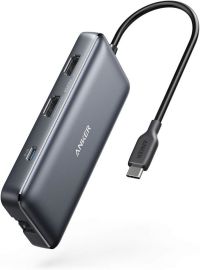
To help you find the best laptop docking station for your needs, we analyzed more than two dozen models. Our top choice is the Anker Nano Laptop Docking Station, which impressed us during testing with its super-fast charging and versatile design.
Editors’ picks
Anker Nano Laptop Docking Station
BestReviews Tested
Dimensions: 3.74" L x 1.57" W x 5.51" H | Types of Ports: (3) USB-A 3.0, 2 USB-C, (1) DisplayPort, (2) HDMI, (1) Gigabit Ethernet | Operating System Compatibility: Windows 10/11, macOS 13.5+ | Passthrough Charging: Yes
Our testing team is a big fan of the Anker Nano Laptop Docking Station, thanks to its impressive build quality and easy-to-use design. With multiple ports and quick-charging capabilities, the Anker Nano Laptop Docking Station is a must-have if you want to transform your laptop into a desktop-like workstation.
It offers all the ports you need to connect accessories and peripherals, including an Ethernet port, headphone jack, several USB-A/C ports and dedicated SD and microSD card slots. It can function as both a permanent desktop dock and a portable hub, and our testers loved how quickly it charges devices without getting hot. Display and video output are also impressive when connecting a laptop to external screens, with our testing team reporting crisp refresh rates and outstanding clarity.
It comes with the dock, removable hub, power adapter and USB-C cable and is highly efficient for consolidating power and data into a single cable connection. It’s portable, easy to set up and eliminates the need to purchase a separate travel dongle.
Anker Dual Monitor Laptop Docking Station
Great Value
Dimensions: 4.65" L x 2.01" W x 0.69" H | Types of Ports: (1) USB-C PD-IN, (2) USB-A, (2) HDMI, (1) Ethernet | Operating System Compatibility: Windows 10/11, macOS, Chrome OS, iPad OS | Passthrough Charging: Yes
The Anker Dual Monitor Laptop Docking Station is an affordable way to connect all your computer accessories to your laptop for a streamlined workstation. It’s super compact and delivers high-speed pass-through charging up to 85 watts.
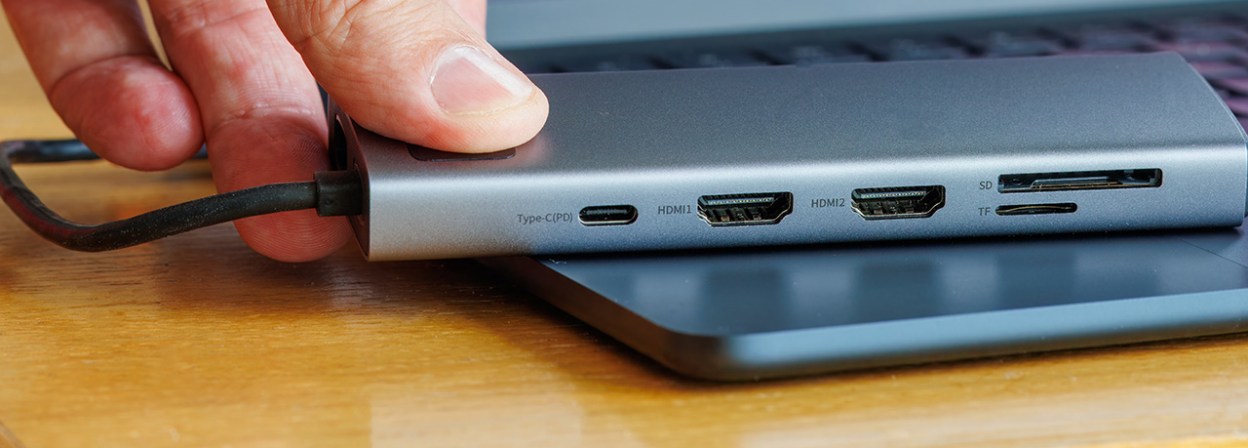
It offers various connectivity ports, including a USB-C PD-IN charging port, 2 USB-A data ports, 2 HDMI ports, an Ethernet port and a microSD/SD card reader. Its portable design makes it convenient for working efficiently on the go, and multiple screen connectivity ports let you connect multiple displays for increased productivity. Plus, it works with Windows, macOS, Chrome OS and even iPads.
Although not as robust as other laptop docking stations, this one is an excellent value pick. It’s perfect for traveling thanks to its ultra-compact design, and it features various ports that help create a versatile computer station.
Plugable Dual DisplayPort & HDMI Docking Station
Best for Dual Display
Dimensions: 5.31" L x 2.76" W x 7.48" H | Types of Ports: (6) USB-A, (2) DisplayPort, (2) HDMI, (1) Ethernet | Operating System Compatibility: Windows 11/10/8.x/7, Chrome OS 100+, macOS 10.14+ | Passthrough Charging: No
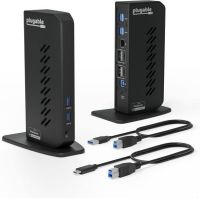
The Plugable Dual DisplayPort & HDMI Docking Station is a comprehensive laptop docking station that’s perfect for expanding your workspace. With a space-saving vertical design, you can reduce desk clutter, keep all your cables and accessories organized, and increase productivity with two connected external displays.
It features 13 ports, making it easy to connect all your essential devices, and you can add monitors via HDMI or DisplayPort. There are multiple USB 3.0 ports, an audio jack for connecting speakers or headphones, and a Gigabit Ethernet port for stable wired connections. It offers plug-and-play functionality for Chrome OS, but it also works with other operating systems, including Windows and macOS.
This docking station is a convenient solution for home offices, hybrid work setups or anyone who wants to turn a laptop into a desktop-style workstation. It’s not optimized for gaming, but it’s excellent for optimizing everyday computing applications.
Dell Universal Dock
Universal Compatibility
Dimensions: 6.54" L x 1.26" W x 2.99" H | Types of Ports: (6) USB, (1) HDMI, (1) DisplayPort, (1) Ethernet | Operating System Compatibility: Windows, macOS | Passthrough Charging: Yes
Made by a top technology brand, the Dell Universal Dock UD22 is designed to make your laptop a true workstation. It’s a compact docking station with multiple connectivity ports and efficient passthrough charging, so you can use your devices while it charges itself.
It delivers up to 96 watts of total power, making it highly efficient for powering most laptops, even when running power-intensive applications. It supports 5K resolution at 60 hertz on a single display, or 4K on multiple displays. DisplayPort and HDMI ports make it easy to set up a multidisplay workstation, and six USB ports let you connect your mouse, keyboard, headphones, and other accessories.
With fast data transfer, this docking station is an excellent option for professionals who need a streamlined, functional workstation. It’s perfect for increasing productivity and lets you charge multiple devices simultaneously with passthrough charging.
HP USB-C Dock
Security Optimized
Dimensions: 4.8" L x 4.8" W x 1.77" H | Types of Ports: (4) USB, (2) DisplayPort, (1) HDMI, (1) Ethernet | Operating System Compatibility: Windows, macOS | Passthrough Charging: Yes
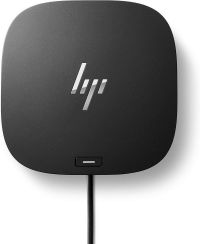
Those with security concerns should consider the HP USB-C Dock for a secure laptop hub setup. Its compact design makes this docking station perfect for small desks or workspaces, and its lightweight build makes it ideal for working on the go.
You can charge your laptop with a single USB-C cable and connect up to three displays to increase your productivity in the workplace. It offers advanced network manageability features and has two USB 3.0 ports for ultrafast data transfer with connected peripherals. The small footprint makes it highly convenient for traveling and an excellent docking station for decluttering your work area.
Although it’s not as comprehensive as other laptop docking stations, it’s the best option for those who want a compact yet capable hub with security features for safe networking.
Key features to consider
Port selection
Docking stations vary in number and types of ports they offer. However, there are a few essential ports you should consider when choosing a laptop docking station and analyzing your desired setup.
USB ports are necessary for connecting peripherals such as mice, keyboards and storage drives, while DisplayPort and HDMI ports are essential for connecting external monitors. Those are the two most important types of ports, but many docking stations also feature SD card readers, Ethernet ports for wired internet connections and audio jacks for connecting speakers or headphones.
Operating system compatibility
Not all laptop docking stations are compatible with every operating system. Some are designed to work only with Apple or Windows computers. However, for the most part, many can handle multiple operating systems including the latest versions of Windows, macOS, Chrome OS and even Linux.
Compatibility and connection type
There is often some confusion about what Thunderbolt is and what USB-C is. USB-C refers to the physical connector, while Thunderbolt is a data and display protocol. Some devices used Thunderbolt to facilitate high-speed data transfer. You’ll commonly see this connection used with 4K monitors or fast external storage drives.
Portable vs. stationary docks
Portable laptop docking stations are compact and designed to add a few extra ports such as HDMI or USB ports that you can use while on the go. They typically draw power directly from your laptop, whereas stationary docking stations are larger hubs that use external power. They offer more connectivity than portable docks, including multiple monitor support, Ethernet and faster laptop charging.
Display support
If you’re trying to create an efficient workstation centering around your laptop, then you may want to consider display support. Adding external monitors can increase productivity and make handling tasks much more manageable. To do so, it’s best to get a docking station with support for the display you want to connect. For example, not every docking station can handle high-resolution or fast frame rate monitors.
Power delivery
The more connected devices you have, the slower laptop charging will be. However, the best docking stations offer enough power output to support several connected devices without significantly impacting laptop charging efficiency. Smaller laptops, such as Chromebooks, only need 45 to 60 watts of power output for regular charging, but more robust units require anywhere from 85 to 100 watts.
Wired vs. wireless
Laptop docking stations are excellent for decluttering workstations, but if you want an even more clutter-free work area, you can opt for a wireless unit. Wireless stations connect to laptops via Bluetooth or Wi-Fi and offer more flexibility. However connections aren't always stable to wired stations, which typically use a single USB-C cable for a reliable connection at all times.
Tips
- Find out what cables are provided with each station. Some only provide a single power cable, while others will give you multiple USB cables and even a Thunderbolt cable. You want to make sure you have everything you need to get started right away.
- If you’ll be plugging in and out of your docking station regularly, place the station in an area that’s easily accessible. You wouldn’t want to have to crawl under your desk every time you plug into work. Most docking stations are small, so they should fit comfortably on your desktop.
- Some docking stations offer locking capability, so if you need that extra security, make sure to find one that is able to lock.
How we analyzed
We aimed to provide picks that offer both value and functionality. Our top picks have positive customer reviews and offer several desired features for creating a streamlined laptop workstation. For example, we considered important specs and features, such as portability, passthrough charging and the number of connectivity ports. We also tested the Anker Nano Laptop Docking Station in our lab, evaluating key features such build quality, display and video output, charging, power delivery, connectivity and data flow.
FAQ
Q. How much does a laptop docking station cost?
A. You can get an affordable portable or stationary docking station with a basic array of ports for $50 to $100. Stations with several USB and display ports, and fast data transfer protocols can run anywhere from $100 to $300.
Q. Will the docking station charge my phone, etc.?
A. The answer to this question depends on the individual station. Some supply enough power to charge your accessories, but others do not. Check the specs on your choice to see their power capabilities.
Q. Can I run dual monitors from every laptop docking station?
A. No. As with the power capabilities, dual monitor options are available on some docking stations, but not others. Please check each product description to see if it meets your needs.